
Chapter 13: Barcodes
Contents
13.1 Regular Barcodes
13.1.1 Introduction
Regular (one-dimensional) barcodes are provided by the DrawBarcode method of the PdfCanvas object. This method expects two parameters: a string indicating the data to encode as a barcode, and a PdfParam object or parameter string providing parameters.
The following code sample prints a UPC-A (Universal Product Code) barcode on a page.
//Barcode type 1 is UPC-A
string strParams = "x=72; y=600; height=96; width=144; type=1";
string strData = "04310070524";
// Draw text on page
objPage.Canvas.DrawBarcode( strData, strParams );
...
'Barcode type 1 is UPC-A
Dim strParams As string = "x=72; y=600; height=96; width=144; type=1"
Dim strData As string = "04310070524"
' Draw text on page
objPage.Canvas.DrawBarcode( strData, strParams )
...
Click the links below to run this code sample:

This will produce the following:
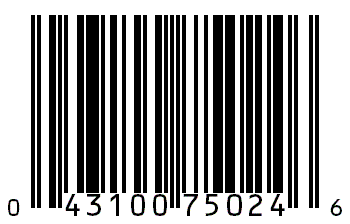
Note that AspPDF.NET automatically calculated and added the UPC-A check digit (the 6.)
The DrawBarcode method will validate the data passed to it and throw an error exception if it is invalid for the specified type of barcode.
AspPDF.NET also includes a sample of an HTML form page into which a user can enter data for a barcode. This code is not repeated here due to length. Click the links below to run this sample:
13.1.2 Required Barcode Parameters
Type - What type of barcode to draw. See below for a list of supported types.
X, Y - X and Y coordinates of the lower-left corner of the barcode.
Width, Height - Width and height of the barcode.
The X, Y, Width, and Height parameters only specify the size of the actual rectangular bars. Text associated with barcodes may extend slightly outside the specified area.
13.1.3 Optional Barcode Parameters
Color - Specifies the color of the bars and text. This can be a named color constant like "red" or a hex RGB value. Defaults to black.
tc, tm, ty, tk - Specify the CMYK color components of the bars and text. The values must be between 0 and 1. If these parameters are specified, Color is ignored. These parameters were introduced by version 2.2.0.2.
BgColor - Specifies the color of the spaces between the bars. If not specified, the spaces will be transparent. This can be useful to make the spaces in the barcode white if the page background is non-white. Note that very few scanners can scan barcodes in colors other than standard black and white.
FontSize - Specifies the size of the font used. This is not used for certain barcode types like UPC which prescribe all font sizes. This is a maximum limit on font size. AspPDF.NET will shrink the font as necessary to make the text fit within the width of a particular barcode type.
BarWeight - Certain barcode types do not prescribe a constant width ratio between "thin" and "wide" bars, but allow this ratio to be specified. Using this parameter may improve the scannability of these barcode types with various scanners. Defaults to 2, meaning "wide" bars are twice as wide as "thin" bars.
DrawText - Some barcode types (such as UPC) usually include printed human-readable text. Others (such as Industrial 2/5) do not. This parameter allows you to override the default behavior. Can be set to True or False.
AddCheck - A few barcode types allow optional calculation and use of a check digit. Boolean parameter.
Compress - Only used by Code 128, see below. Boolean parameter.
Angle - Specifies an angle of counter-clockwise rotation (in degrees) of the barcode around its lower-left corner.
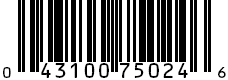
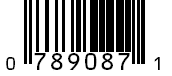
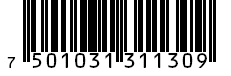
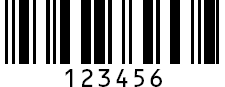
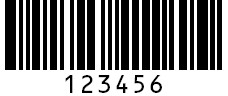
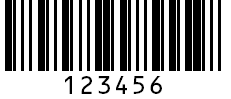
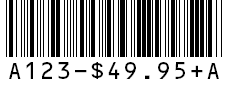
13.1.4 Supported Linear Barcode Types
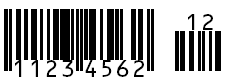
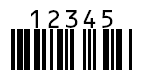
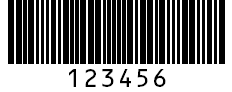
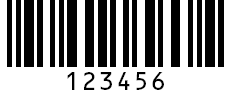
(Some images shortened vertically for space)
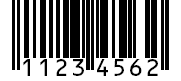
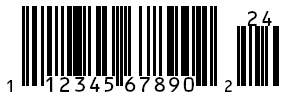
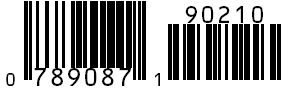
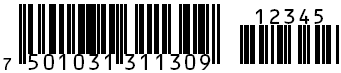

0123456789-$:/.+
Requires a matched pair of start and stop characters which must be the letters A, B, C, or D. Does not use BarWeight.
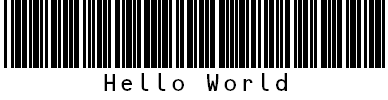
-. $/+%
AspPDF.NET encodes lowercase characters as uppercase, and adds start and stop bars.
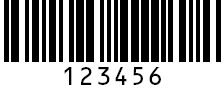
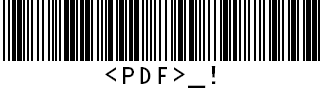
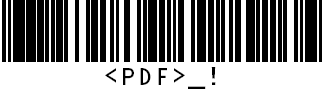
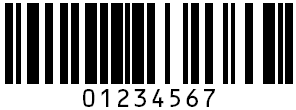
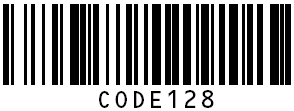
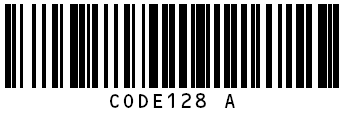
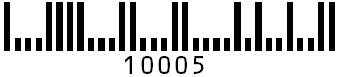
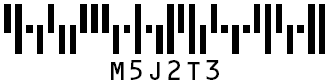

The barcode functionality is demonstrated by Live Demo #8.
13.2 Two-Dimensional Barcodes
AspPDF.NET supports four popular 2-dimensional barcodes: PDF417, Data Matrix, QR Code and Aztec. (PDF417 and DataMatrix were added in version 1.8, QR Code was added in service release 2.0.0.7, and Aztec was added in service release 3.4.0.7.) 2D barcode symbols are drawn via the method DrawBarcode2D of the PdfCanvas object. This method has two required arguments: the text to be encoded, and an instance of the PdfParam object or parameter string. If binary data is to be encoded, the binary array with the data is to be passed via the 3rd optional argument. If the 3rd argument is specified, the text argument is ignored.
The barcode's appearance is controlled via parameters passed as the 2nd argument. The only two required parameters are X and Y which specify the position of the lower-left corner of the symbol on the page. The Type parameter specifies which of the four barcode types to draw. The valid Type values are 1 (PDF417, default), 2 (Data Matrix), 3 (QR Code) and 4 (Aztec). The four 2D barcode types and their parameters are described below.
The 2D barcode functionality is demonstrated by Live Demo #8b.

In the context of the PDF417 barcode, "PDF" stands for Portable Data File and has nothing to do with the Adobe PDF file format. A PDF417 barcode symbol is essentially a stack of 1D barcodes. A single symbol can contain far more information than a 1D barcode (up to 1.1 KB) in a space no larger than a traditional barcode. This format allows you to store not only text and numbers but binary data as well. In addition, PDF417 has a built-in error correction system so that a symbol can be read even if it is partially damaged or destroyed. The following code snippet draws the barcode symbol shown above:
A PDF417 symbol has a columnar pattern. The leftmost and rightmost columns of every symbol always look the same and they are called start and stop patterns. These are abutted by row indicator columns, and the actual data columns are squeezed in the middle. The symbol above has 3 data columns. Each data column is a stack of "codewords" which are sequences of 4 bars and 4 spaces arranged on 17 available slots. That is where the number 417 comes from. A symbol can contain 1 to 30 data columns and 3 to 90 rows.
The appearance and properties of a PDF417 symbol are controlled by the following parameters (all optional):
- BarWidth - the width of the narrowest vertical bar (in user units.) 1 by default.
- AspectRatio - the ratio of the row height to the narrowest bar width. 2 by default.
- ErrorLevel - controls the amount of error correction information in the symbol. The higher this number is, the more resistant to damage (and larger in size) the symbol gets. Valid values are 0 to 8. The value of 0 means no error correction. If this parameter is not specified at all, the error level is computed automatically based on the data size according to the standard PDF417 specifications.
- Columns - the symbol will contain at least this number of data columns, provided there is enough data for it. If not specified, the number of columns is determined automatically.
- Rows - the symbol will contain at least this number of rows, provided there is enough data for it. If not specified, the number of rows is determined automatically.
- Angle - an angle of counter-clockwise rotation (in degrees) of the barcode around its lower-left corner. 0 by default.
- Color - barcode color, the current fill color by default.
- BgColor - background color (the color of the "white" rectangular area underneath the barcode.) Transparent by default. Useful to make the barcode background white if the page background is non-white.
- BgMargin - the size (in user units) of the margins around the barcode. 2 x BarWidth by default. Ignored unless BgColor is specified.
- CodePage - the code page number, such as 1252, to be used to convert the Unicode string to a byte array. 65001 (UTF-8) by default. This parameter was introduced in Version 3.4.0.7.
As of Version 3.2.0.1, the following parameters have been added to enable the creation of US Government-compliant barcodes on official USCIS forms:
- Width, Height - specify the overall width and height of the barcode symbol in user units, including the quiet zone (described below.) Both parameters must be specified to have an effect, i.e. if one is omitted, the other is ignored. If both of these parameters are specified, BarWidth and AspectRatio are ignored.
- QZH, QZV - specify the "quiet zone" space margins in user units on the left/right and top/bottom sides of the barcode, respectively. 0 by default. These parameters are only used if the Width/Height parameters are specified.
-
Binary - if set to true, forces the byte (or binary) compression mode in which each codeword represents 1.2 bytes of information The default text compression mode encodes (roughly) 2 characters per codeword. False by default.
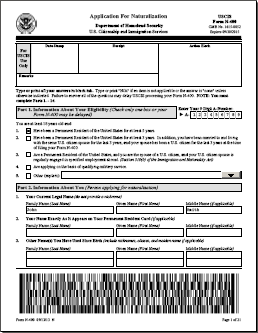
Filling out PDF417 barcode-equipped government forms is covered in detail in Section 12.8 - Barcode-equipped Government Forms.
The following code snippet encodes binary data from a BLOB recordset field. It specifies the error correction level of 5 and bar width of 2:
Unlike the DrawBarcode method described in the previous subsection, the DrawBarcode2D method returns a value -- an instance of the PdfParam object populated with the barcode's width, height, number of rows, number of columns and error level. For example, the following code snippet draws a barcode and then prints out its width and height:
Response.Write( "Width=" + objParam["Width"].ToString() );
Response.Write( "Height=" + objParam["Height"].ToString() );
The number of rows, number of columns and error level are retrieved via Param("Rows"), Param("Columns") and Param("ErrorLevel"), respectively.

Data Matrix is another very popular 2D barcode. Its symbols are usually square and sometimes rectangular. A single symbol can encode up to 2335 characters. The required parameters are X, Y, and Type (the latter must be set to 2.) This barcode uses the same error correction system as PDF417, but the error level is determined automatically, therefore the ErrorLevel parameter is not used. The symbol shown above was drawn using the following code:
The BarWidth parameter specifies both the width and height of an individual cell of the symbol (in user units.) AspectRatio is not used since the cells are always square.
By default, the number of cell columns and rows in a symbol is determined automatically. You can specify the desired size via the Columns and Rows parameters. You must either specify both parameters, or neither. The following [Rows x Columns] combinations are valid: 10x10, 12x12, 14x14, 16x16, 18x18, 20x20, 22x22, 24x24, 26x26, 32x32, 36x36, 40x40, 44x44, 48x48, 52x52, 64x64, 72x72, 80x80, 88x88, 96x96, 104x104, 120x120, 132x132, 144x144, 8x18, 8x32, 12x26, 12x36, 16x36, and 16x48.
All the other parameters have the same meaning as with PDF417. The return values are also the same except that there is no ErrorLevel value.
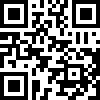
The QR Code barcode is used in commercial tracking applications as well as advertisements and signs aimed at mobile-phone users. It was invented in Japan in 1994. "QR" stands for "quick response." The three prominent corner boxes give the QR Code symbols a very distinctive look. The symbols are always square.
A single symbol can encode up to 7,089 numeric symbols, up to 4,296 alpha-numeric symbols, up to 2,953 binary bytes, or up to 1,817 Kanji/Kana characters. The required parameters are X, Y, and Type (the latter must be set to 3.) There are 4 error correction levels, from 0 to 3, 0 being the lowest, specified via the optional ErrorLevel parameter (0 by default.) The symbol shown above was drawn using the following code:
By default, the size of the symbol is determined automatically. To make the symbol larger than necessary, use the Version parameter. The valid values are 0 (auto) and 1 to 40 to specify a larger size.
The BarWidth parameter specifies both the width and height of an individual cell of the symbol (in user units.) AspectRatio is not used since the cells are always square. Columns and Rows are not used since the size is determined automatically or specified via the Version parameter.
All the other parameters have the same meaning as with PDF417 and DataMatrix. CodePage is not used as QR Code always uses UTF-8 encoding. The return values are also the same except that there is no ErrorLevel value.
QR Code's built-in error correction system allows a symbol to function correctly even if it is partially destroyed or obstructed. Thanks to that feature, a QR code symbol can be decorated with a logo for marketing purposes while remaining perfectly scannable:

The symbol above was created with the following code. Note that the error correction level is set to 3:
objImage = objDoc.OpenImage( @"c:\path\logo.png" );
objPage.Canvas.DrawImage( objImage, "X=46; Y=330" );
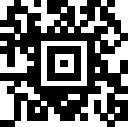
Aztec code was invented by Andrew Longacre, Jr. and Robert Hussey in 1995. It can encode 3832 digits, 3067 letters, or 1914 bytes of data. Aztec symbols have a recognizable "bull's eye" pattern in the center.
The required parameters are X, Y, and Type (the latter must be set to 4.) The symbol shown above was drawn using the following code:
There are 4 error correction levels, from 1 to 4, specified via the optional ErrorLevel parameter (2 by default.)
Aztec symbols are always square. By default, the size of the symbol is determined automatically. To make the symbol larger than necessary, use the Version parameter. The valid values are 0 (auto) and 1 to 36 to specify a larger size. The following table maps the Version values to the corresponding symbol size. The symbols marked with an asterisk (*) in the table below are "compact" symbols, meaning they have a smaller bulls-eye pattern at the center of the symbol.
The BarWidth parameter specifies both the width and height of an individual cell of the symbol (in user units.) AspectRatio is not used since the cells are always square. Columns and Rows are not used since the size is determined automatically or specified via the Version parameter. The return values are Width, Height, Rows and Columns.

